Most mornings start the same way: a rush out the door, a drive down the highway toward Raleigh, and somewhere around the second exit the question of whether anyone locked the front door. With an app-connected deadbolt, the answer is on your phone, and if the door was left open, you lock it from the parking deck.
Many models can also lock themselves a set time after the door closes, and send a notice when a particular code is used. That is how a parent at a desk in the Research Triangle knows the kids are home from school, without a phone call and without anyone carrying a key in a backpack.
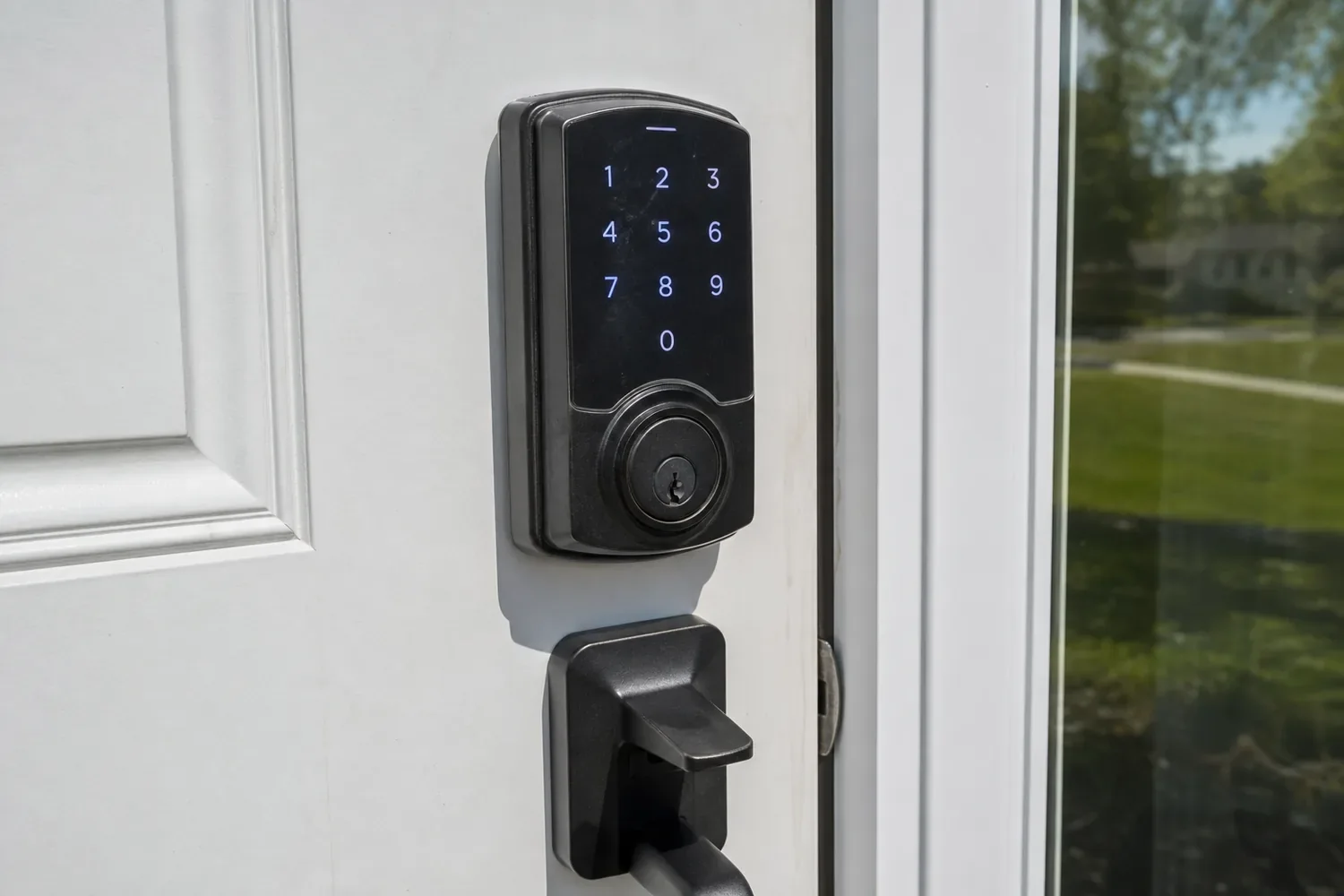
A lot of houses in the newer subdivisions came with a basic keypad deadbolt already on the front door. It does the job, but it knows nothing about your phone, keeps no history, and is often still holding codes the builder or the last owner set.
Swapping it for an app-connected model adds remote locking, alerts and a record of each entry. If you would rather keep the keypad you have, a small plug-in bridge sometimes gives a compatible lock some of the same reach. Either way, every old code is cleared and the master code is changed from whatever the box or the previous owner left behind.
Closer to the historic downtown, front doors tend to be older, heavier and drilled for whatever lock went on decades ago. Some are thicker than today's standard, some have bores worn oval, and a few use locks set deep into the edge of the door rather than through its face.
None of that rules out a smart lock, but it changes how one goes in. Sometimes a standard smart deadbolt fits after a little preparation; sometimes a retrofit kit that mounts over the existing deadbolt on the inside is the cleaner answer, and the original hardware stays on the outside. Either way, you hear what the door needs before anything is drilled or replaced.
Smart locks talk to your phone in one of two ways. Bluetooth models connect when you are close by, which is enough for unlocking as you walk up. For control from anywhere, a lock needs Wi-Fi of its own or a small bridge plugged into an outlet near the door that passes its signal along.
Front doors are often the farthest point from the router, behind brick and a staircase. Many locks only use the 2.4 GHz band, and some newer routers bundle that band in a way the lock cannot find. The signal gets checked at the door during the visit, and a bridge or a mesh point closer to the entry usually settles it. Wi-Fi does use more battery than Bluetooth, which is worth knowing when you choose.
A dog walker on weekdays, a cleaner every other Friday, a contractor finishing the basement: each can have a code of their own, and on many models it only works during the days and hours you choose. When the job is over, that one code is deleted and nobody else's changes.
The app's history shows which code opened the door and when, which settles most questions about who was in the house. Keeping the master code private, and changing it whenever the household changes, is the one habit that keeps the system honest.
Smart deadbolts run on ordinary batteries, so a power cut does not unlock the house or lock you out. Codes keep working at the keypad, and only the app waits for the internet to return.
Battery life depends on the model, the number of trips through the door and how much the lock talks to Wi-Fi, and a door that makes the bolt drag shortens it more than anything else. That is why the alignment gets so much attention at the install. When the batteries do get low, the lock says so in plenty of time.
Every lock we install leaves you a way in that needs no electronics, usually a key cylinder that can match the rest of the house. Keep that key somewhere sensible, with a neighbor or in the car, rather than under the doormat where everyone checks first.
One trip covers most homes.
Front or garage entry, the lock on it now, and how you want to use it: keypad, app, or both.
Bolt, strike and hole sizes, plus the Wi-Fi strength at the entry if you want remote control.
Mounted, then run until the bolt slides into the strike without dragging.
Your codes entered, the app paired, notifications chosen, and the backup key in your hand.
Renters need the landlord or property manager to approve a new lock, and most will, especially when they are offered a code of their own. On the way out, the original lock can go back on if the lease asks for it.
For a house you just bought, a smart lock and a rekey of the other doors make a natural pair: the front door goes keyless, the side and garage doors get new pins, and every key and code from before closing stops working on the same visit.
Yes. The new lock usually fits the same holes, and every code the builder or the last owner knew stops working the moment it is installed.
Usually, once the signal reaches the door. Many locks need the 2.4 GHz band, and a plug-in bridge or a mesh point fixes most weak spots. The signal gets checked at the visit.
On a Wi-Fi model or a lock paired with a bridge, yes. Bluetooth-only locks need your phone nearby.
The lock warns with a beep or a light at the keypad, and app-connected models send an alert, usually weeks before the batteries are spent.
Most keep a key cylinder as a backup, and it can be keyed to match the other doors in the house.
Yes. Most apps let the owner share access with other people in the household, each with their own login, and take it away later without touching anyone else.
Usually, with some preparation or a retrofit kit that keeps the original hardware outside. You hear what it needs before any work starts.
Yes. The door, the lock and the signal are looked at, and the estimate is free before anything is installed.
Tell us your street and we send a tech.